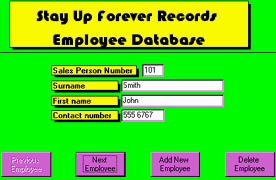
The Employee Database
Think you've found the section with all the juicy gossip on your colleagues? Sadly, no. That's all written down on paper, locked in your managers filing cabinet. This database is quite boring.

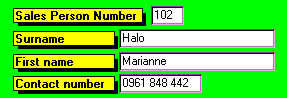
With the "Add New" button, the first field you fill in is the "Sales Person Number". This is a unique 3-digit number given to you when you join the company, by your manager. If you are at the Birmingham branch, the number is between 100 and 499. At the Solihull branch, the number is between 500 and 999. This number is the number that you type in when you Sell a Record to identify yourself, so it's important to memorise your number.
The next fields are "Surname" and "First Name". It's important that these are correct, so double check with the new employee about their details.
The last field is "Contact number". This is the telephone number where managers can reach employees. Again, double-check the details.
To delete an employee, find the record you want removed and click "Delete Employee". The program will ask you if you are sure. Only if you are really, really sure, click Yes.